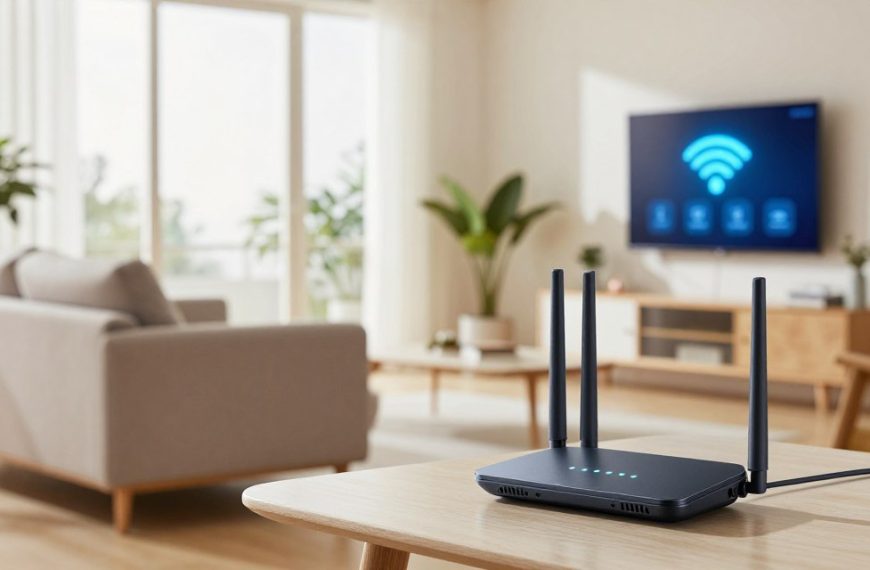
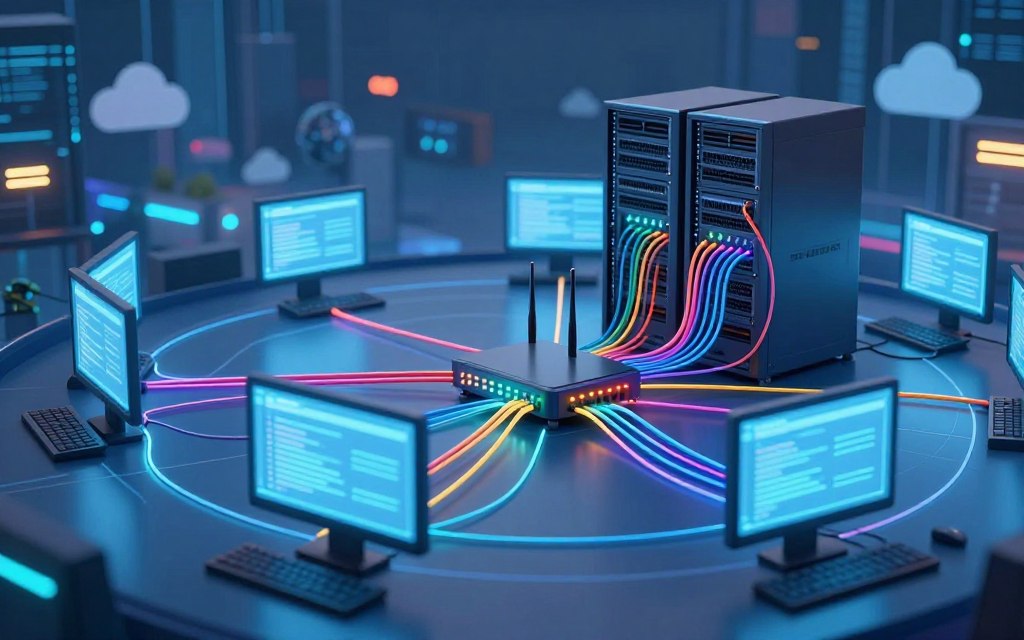

Understanding how a computer network functions helps anyone who uses the internet. Learning how network works in computer systems explains how devices exchange data and share resources. This process supports webpage loading, messaging, and access to shared files.
This computer network guide explains the basics of network communication. It covers hardware, software, protocols, and data packets. You will also learn about wired and wireless connections, security, common devices, and troubleshooting.
Whether you use the internet daily or are new to networks, this article explains how computer networks work. It shows what happens behind the scenes and how these systems operate and interact.
Key Takeaways
- A network connects devices for data exchange and resource sharing.
- Key components include hardware, software, and protocols.
- Both wired and wireless connections play a role in communication.
- Understanding security is vital for safe network usage.
- Troubleshooting can resolve common network issues.
What Is a Computer Network?
A computer network connects multiple devices for communication and data exchange. This system lets networked devices share files, resources, and internet connectivity. Examples include desktop computers, laptops, smartphones, servers, printers, and Internet of Things (IoT) devices.
A connection alone is not enough. Devices need communication rules, addressing systems, and network equipment to send and receive data. This structure helps information move smoothly and supports productivity and teamwork.
Defining a Computer Network
A computer network is a group of two or more devices connected by wired or wireless links. These links support data sharing, from simple file transfers to complex cloud applications. This computer network definition helps explain its role in modern technology.
Why Networks Matter in Modern Computing
Networks support important services in today’s digital world, including:
- Cloud applications
- Remote work capabilities
- Online services and file sharing
- Collaboration tools
- Streaming services
- Payment processing
- Business operations
A private local network connects devices in one area. The internet is a global network of connected networks. It enables communication across great distances and provides internet connectivity.
| Type of Network | Description | Examples |
|---|---|---|
| Local Area Network (LAN) | Connects devices in a limited area | Home networks, office networks |
| Wide Area Network (WAN) | Covers large geographic areas | Internet, corporate networks |
| Metropolitan Area Network (MAN) | Connects networks within a city | Citywide Wi-Fi, university networks |
Core Components of a Computer Network
A computer network uses hardware and software components to work well. These computer network components support communication and connectivity. Network hardware provides physical infrastructure, while network software manages communication.
Hardware Components
Hardware components are physical parts of a network. They support data transfer and communication between devices. Key network hardware includes devices, cables, and connectors, such as Ethernet cables:
- Servers and Clients: Servers are powerful systems that provide resources or services to clients, which can be devices or applications requesting those resources. Interestingly, a single device can function as both a server and a client, depending on the context.
- Network Interface Cards: A network interface card (NIC) is essential for any device to connect to a network. It allows devices to send and receive data signals. Examples include Ethernet adapters for wired connections and Wi-Fi adapters for wireless access.
- Cables and Connectors: Ethernet cables are commonly used to link devices in a network. They utilize standardized connectors to ensure compatibility and reliable data transmission.
Software Components
Hardware creates physical connections, but network software controls their use. Key software components include:
- Network Operating Systems: These systems manage users, resources, permissions, and connections within a network. They ensure that devices can communicate effectively and securely.
- Network Drivers and Firmware: Drivers enable the operating system to communicate with network hardware, while firmware provides low-level instructions for devices like routers and switches. Both are critical for maintaining network functionality.
Hardware and software must work together for reliable network performance. Compatible components support smooth communication and improve network efficiency. They also help a server and client communicate reliably.
Types of Computer Networks Explained
Understanding the different types of computer networks shows how devices communicate. Each network type serves a different purpose and covers a different distance. The main categories are LAN, WAN, MAN, and PAN.
Local Area Networks (LAN)
A Local Area Network (LAN) connects devices in a small area, such as a home, school, or office. This LAN network uses Ethernet cables or Wi-Fi and offers high speed with low latency. It works well for file sharing and gaming.
LANs usually belong to one organization or individual. This ownership provides greater control over security and network management. LANs can support computers, printers, and smartphones, which can improve local productivity.
Wide Area Networks (WAN)
In contrast, a Wide Area Network (WAN) covers a large geographic area. A WAN network connects multiple LANs, letting users communicate across cities, states, or countries. It often uses leased telecommunication lines and the internet.
Multiple organizations or service providers usually own WANs. They help businesses with remote offices or global operations communicate and share data across long distances.
Metropolitan Area Networks (MAN)
A Metropolitan Area Network (MAN) covers a city or large metropolitan region. A metropolitan area network often runs through telecommunications providers or public organizations. It connects multiple LANs within one area for fast data transfer and communication.
MANs help organizations connect locations across a city, including universities and government agencies. They balance LAN speed with the wide reach of WANs.
Personal Area Networks (PAN)
A Personal Area Network (PAN) connects personal devices over a short range. This personal area network can link smartphones, tablets, and laptops through Bluetooth. Users can share data and resources across a limited distance.
PANs help individuals connect several devices without complex network setups. This type of network supports communication between nearby personal devices.
In summary, the types of computer networks—LAN, WAN, MAN, and PAN—serve different purposes based on coverage and use. Knowing these differences helps people choose the right network for specific needs.
How Network Works in Computer: The Communication Process
Learning how network works in computer systems means following each communication step. For example, entering a web address starts actions that deliver the requested information. These hidden actions support smooth online experiences.
Step 1: Initiating the Request
When a user types a URL into a browser, the browser creates a request for that webpage. The request includes the server’s IP address and the specific port number used for communication.
Step 2: Data Packaging and Addressing
The browser breaks the request into smaller, manageable data packets. Each packet holds the request data, source address, and destination address. Labels show the sender’s IP address and the server’s IP address, helping the network route each packet correctly.
Step 3: Transmission Through the Network
After packaging, the packets travel through the network. Local routers and switches may pass them to the service provider’s equipment. Several intermediate routers direct them closer, and the network often finishes within mere fractions of a second.
Step 4: Receiving and Reassembling Data
At the server, the packets arrive and undergo an integrity check. The server processes the request and sends a response divided into packets. The user’s device rebuilds them in order, displays the webpage, and demonstrates client-server communication and modern network efficiency.
The network communication process starts with a request, packages data, sends it through channels, and rebuilds it at the destination. Users usually notice only a loaded webpage or completed video stream while complex work happens out of sight.
“The network is a vast web of connections that allows us to communicate and share information instantly.”
| Step | Description | Key Components |
|---|---|---|
| 1 | Initiating the Request | User Action, URL |
| 2 | Data Packaging and Addressing | Data Packets, IP Address |
| 3 | Transmission Through the Network | Routers, Switches |
| 4 | Receiving and Reassembling Data | Server Response, Client Device |
For more information on computer networking, read this guide. To learn how to view your PC specs, visit this resource.
Network Protocols and Standards
Network protocols provide rules that help devices communicate. They define how data is formatted, sent, received, and understood across devices. Learning these rules helps explain how networks operate.
TCP/IP Protocol Suite
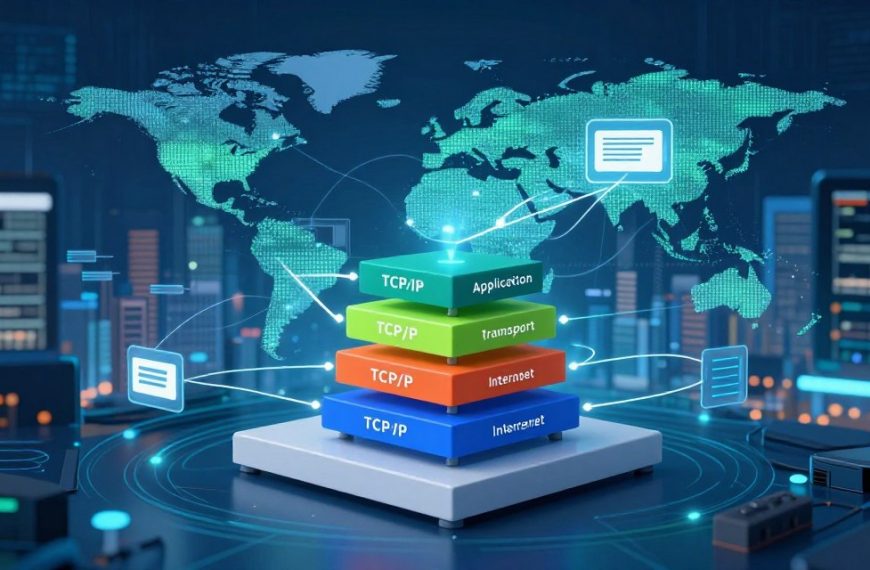
The TCP/IP protocol suite supports the internet and most private networks. It has two main parts: TCP (Transmission Control Protocol) and IP (Internet Protocol). IP addresses and delivers packets between networks, while TCP orders packets and finds missing data.
HTTP and HTTPS Protocols
HTTP and HTTPS support web communication. HTTP (Hypertext Transfer Protocol) lets users access websites by transferring data online. HTTPS (HTTP Secure) encrypts exchanged data, helping protect sensitive information.
DNS and DHCP Services
DNS (Domain Name System) translates human-readable domain names into IP addresses. This lets users reach websites without remembering complex numerical addresses. DHCP (Dynamic Host Configuration Protocol) automatically assigns network details, including IP addresses and gateways, which simplifies network management.
Other Essential Network Protocols
Several other protocols are vital for effective networking:
- UDP (User Datagram Protocol): Offers low-overhead communication for applications that do not require guaranteed delivery.
- Ethernet: The standard for local wired networking, facilitating data transfer within a local area network.
- Wi-Fi Standards: Govern wireless connectivity, allowing devices to connect to networks without physical cables.
- SSH (Secure Shell): Provides secure remote administration of devices, ensuring data integrity and confidentiality.
These protocols and networking standards let equipment and software from different manufacturers work together, creating a more connected world.
Data Transmission: How Packets Travel
Packets play a vital role in data transmission, so understanding their journey matters. Applications do not send data as one large block. They split it into smaller units called packets for efficient network travel.
Packet Structure and Headers
Each packet has a header that helps deliver data correctly. Its packet structure includes important control information, such as:
- Source Address: Where the packet originates.
- Destination Address: Where the packet is headed.
- Protocol Information: Specifies the rules for data transmission.
- Sequence Information: Ensures packets are reassembled in the correct order.
- Packet Length: Indicates the size of the packet.
This structure helps devices process packets efficiently and protect data integrity during transmission.
Routing and Switching Mechanisms
Understanding the difference between routing and switching explains how packets move through networks. Switching occurs within a local network. Network switching uses local addressing information to send packets to the right device.
In contrast, routing occurs between different networks. Network routing examines network addresses and chooses the best path for packets to reach their destination.
Packets may follow different routes because of congestion or failures. This dynamic routing improves data flow and supports efficient communication.
Error Detection and Correction
To protect data integrity, networks use several error detection methods. Two common techniques include:
- Checksums: These are calculated values that verify data integrity by comparing the sent and received data.
- Acknowledgments: The receiving device sends back a confirmation when it successfully receives a packet.
If packets are lost or corrupted during transmission, mechanisms such as retransmission help. These processes recover lost data without making users manage individual packets.

| Feature | Switching | Routing |
|---|---|---|
| Scope | Local Networks | Between Networks |
| Addressing | Local Addresses | Network Addresses |
| Function | Forwarding Frames | Selecting Paths |
| Efficiency | High within Local | Variable based on Conditions |
Network Topologies and Structures
Understanding network topology helps optimize computer networks. Device placement affects how systems communicate and work together. Each design has benefits and limits, so choose one that fits your needs.
Bus Topology
In a bus topology, all devices share one communication line. This simple, low-cost design works well for small networks.
However, congestion can slow it, and one failure can affect the entire network. If the main cable fails, the network can go down.
Star Topology
The star topology connects every device to a central hub or switch. This design is common in modern offices and homes because it is easy to manage and expand.
If the central hub fails, every connected device loses network access. Even so, many organizations choose it for reliable performance.
Mesh Topology
A mesh topology links devices through multiple connections. These paths create backup routes and improve reliability. Managing a mesh network can cost more and require greater skill.
Large organizations may choose it when strong connectivity matters.
Hybrid Topology
The hybrid topology combines parts of different designs, such as star and mesh. This flexible hybrid network topology lets organizations match designs to specific needs.
It can improve performance and reliability, but management and setup become more complex.
| Topology Type | Advantages | Limitations | Applications |
|---|---|---|---|
| Bus Topology | Cost-effective, easy to implement | Single point of failure, congestion issues | Small networks, temporary setups |
| Star Topology | Easy to manage, scalable | Central hub failure affects all devices | Home networks, small to medium businesses |
| Mesh Topology | High redundancy, reliable | Complex management, higher costs | Large organizations, critical applications |
| Hybrid Topology | Flexible, optimized performance | Complex configuration and management | Large enterprises, specialized needs |
In conclusion, choosing the right network topology supports efficient communication and data flow. Knowing each design’s features helps organizations make informed choices that support their goals. For more insights into the core components of a computer system, visit this link.
Wired vs. Wireless Networks
Wired networks and wireless networks support modern communication, but each has different features. Knowing these differences helps you choose the right technology for your needs.
Wired Network Technologies
Wired networks use physical cables to send data. The most common type is the Ethernet network, using copper or fiber-optic cabling. Their network speed and reliability make them useful in many settings.
- Consistent Performance: Wired connections offer stable speeds and low latency.
- Predictable Connectivity: Physical connections are less prone to interference.
- Security: Wired networks are generally more secure due to their physical nature.
Wireless Network Technologies
Wireless networks use radio signals to send data. The best-known example is the Wi-Fi network, used in homes, offices, and public spaces. Wireless networks offer several useful advantages.
- Mobility: Users can connect from various locations without being tethered to a cable.
- Reduced Cabling: Fewer physical connections are needed, simplifying installation.
- Flexibility: Ideal for temporary setups or locations where cabling is impractical.
Comparing Performance and Use Cases
Several factors matter when comparing wired networks and wireless networks. These factors help match each option to a specific use.
- Installation: Wired networks require more time and effort to install due to cabling.
- Mobility: Wireless networks excel in mobility, allowing devices to connect from anywhere within range.
- Interference: Wireless connections can be affected by walls, distance, and other electronic devices.
- Security: Wired networks are typically more secure, while wireless networks need robust security measures.
- Performance: Wired connections often provide better speed and reliability, especially for high-bandwidth applications.
Your choice between wired and wireless networks depends on your needs. Servers, gaming systems, and desktop workstations often work best with wired connections. Wireless networks suit mobile devices and smart-home equipment.
Network Security Fundamentals
Today, network security protects devices, communications, systems, and data. It prevents unauthorized access, disruption, and misuse. As technology changes, new threats appear, making network security knowledge essential.
Common Network Threats
Various network threats can harm data integrity and privacy. Common threats include:
- Phishing: Deceptive emails or messages designed to trick users into revealing personal information.
- Malware: Malicious software that can damage or disrupt systems.
- Ransomware: A type of malware that encrypts files and demands payment for their release.
- Denial-of-Service (DoS) Attacks: Attempts to make a network service unavailable by overwhelming it with traffic.
- Credential Theft: Unauthorized access to user accounts through stolen login information.
- Eavesdropping: Intercepting data as it travels across a network.
- Rogue Access Points: Unauthorized Wi-Fi access points that can allow attackers to intercept data.
- Unauthorized Device Access: Gaining access to a network through unapproved devices.
Encryption and Authentication Methods
Data encryption protects sensitive information. It changes readable data into a format understood only with the correct key. Even if intercepted, the data remains protected.
User authentication checks the identity of users or devices accessing a network. Common protective measures include:
- Strong Passwords: Creating complex passwords that are difficult to guess.
- Multifactor Authentication: Requiring two or more verification methods to access an account.
- Certificate-Based Authentication: Using digital certificates to verify identities.
- Secure Protocols: Employing protocols like HTTPS to protect data in transit.
Firewalls and Virtual Private Networks
Firewalls, or firewall systems, inspect incoming and outgoing traffic. They follow set rules and separate trusted networks from untrusted ones. This barrier helps prevent unauthorized access.
A Virtual Private Network (VPN) creates an encrypted connection over an untrusted network. It provides privacy and security for users. A VPN does not replace endpoint security, safe browsing habits, software updates, access controls, or organizational security policies.
As the saying goes, “An ounce of prevention is worth a pound of cure.” This saying supports a multi-layered approach to network security.
Common Network Devices and Their Roles
Computer networks use many network devices to support clear, reliable communication. Learning their roles shows how networks operate and connect with one another. This overview covers routers, switches, modems, and wireless access points.
Routers and Their Functions
Routers are essential network devices that connect different networks. They direct Internet Protocol (IP) traffic along the best available paths. They provide gateway services, letting devices on separate networks communicate.
These router functions improve security and manage data flow through network address translation and basic firewall filtering.
Switches and Their Functions
A network switch connects devices within a local network. Unlike routers, a network switch uses MAC addresses to send data frames only to intended destinations. This focused delivery reduces unnecessary traffic, improves performance, and supports efficient communication.
Modems and Access Points
Modems bridge a local network and an Internet Service Provider (ISP). They translate signals from an ISP’s cable, DSL, or fiber access technology into usable data. A wireless access point provides Wi-Fi, connecting wireless devices to a wired network and supporting mobile connectivity.
Together, these devices help users access the Internet seamlessly.
In many homes, one device combines a modem, router, switch, firewall, and wireless access point. This device is called a home gateway. In contrast, enterprise networks usually use separate, specialized devices for each function, improving performance and security.
| Device Type | Primary Function | Common Use |
|---|---|---|
| Router | Connects different networks and directs traffic | Home and enterprise networks |
| Switch | Connects devices within a local network | Local area networks (LANs) |
| Modem | Translates signals between local networks and ISPs | Internet connectivity |
| Wireless Access Point | Provides Wi-Fi connectivity | Wireless network access |
Troubleshooting Common Network Issues
Network troubleshooting can reduce frustration and save time. This guide covers connectivity problems and network performance optimization. A clear process helps you fix network connection issues faster.
Diagnosing Connectivity Problems
When you face connectivity problems, begin with basic checks. Check device power, secure every cable, and confirm Wi-Fi is on. Modem and router lights can reveal important network health information.
Next, check whether one device or the whole network has trouble. For one device, its settings may cause the problem. Restarting that device or the network gateway often clears temporary faults.
For advanced checks, tools like ping and traceroute can show where communication fails. Your operating system’s network tools and router status pages may provide more clues.
Performance Optimization Tips
Slow internet can have several causes. Common causes include weak wireless signals, device interference, and outdated drivers. Background downloads and service-provider outages can also reduce network performance.
Consider these steps for network performance optimization:
- Reposition your access point to reduce obstacles and improve signal strength.
- Use a wired connection for stationary high-bandwidth devices like gaming consoles or PCs.
- Update your router’s firmware to ensure it runs efficiently.
- Secure your Wi-Fi network to prevent unauthorized access.
- Reduce unnecessary traffic by limiting background applications.
- Separate crowded wireless devices when supported by your router.
Before replacing hardware or changing advanced settings, record symptoms and changes. This record can reveal patterns and make troubleshooting more accurate.
| Issue | Possible Cause | Solution |
|---|---|---|
| No Internet Connection | Power or cable issue | Check connections and restart devices |
| Slow Internet | Weak signal or congestion | Reposition router or limit devices |
| Intermittent Connection | Service provider outage | Contact your ISP for status updates |
“Troubleshooting is not just about fixing the problem; it’s about understanding the network better.”
Conclusion
Understanding how network works in computer systems helps people use today’s digital world. Computer networking basics show that good communication needs hardware, software, and standard protocols. Together, these parts support reliable network communication in many environments.
LANs, WANs, MANs, and PANs meet different coverage and usage needs. Each type has a clear purpose, from connecting devices in a small office to linking locations across a city. Wired and wireless technologies also affect performance, mobility, and cost.
Routers, switches, modems, and access points help move data. They manage connections and help information reach its destination efficiently. Knowing these components helps users choose network technology for their needs.
As technology evolves, network management brings new challenges. Understanding the communication process helps users choose equipment, protect data, and fix connection problems. These skills help users adapt to changing technology and usage demands.

 By
By