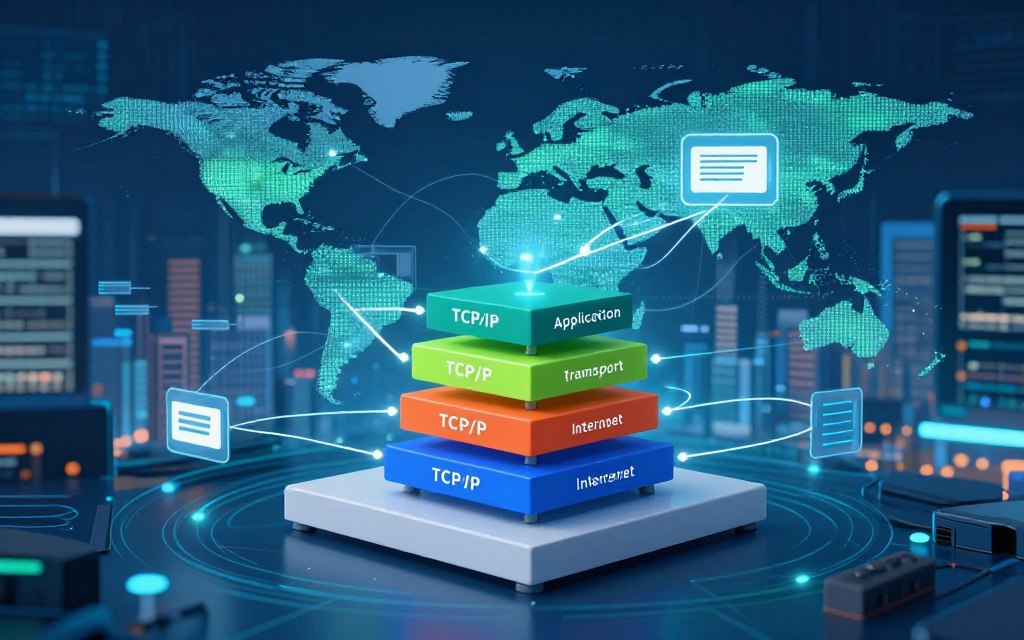

TCP/IP is the foundation of digital communication and lets computers, smartphones, and servers exchange data.
The question “what is TCP/IP protocol in computer network” points to a suite of connected protocols. It is not one system; its best-known parts are Transmission Control Protocol and Internet Protocol.
TCP/IP explained clearly shows how data travels across local networks and the global internet. This framework supports computer network communication between devices. We will examine its history, four-layer structure, and data encapsulation process.
We will also cover Internet protocols such as HTTP and DNS, plus differences between IPv4 and IPv6. Cloud services and the Internet of Things (IoT) use TCP/IP, and we will discuss practical troubleshooting methods. These insights help beginners and IT professionals understand TCP/IP’s critical role in our connected world.
Key Takeaways
- TCP/IP is essential for data exchange among devices.
- The framework consists of multiple interconnected protocols.
- Understanding its structure helps in grasping data flow.
- Common protocols like HTTP and DNS are part of this suite.
- Modern applications leverage TCP/IP for connectivity.
What Is TCP/IP Protocol in Computer Network
The TCP/IP protocol is a key part of modern networking. This network communication protocol suite defines how data is formatted, addressed, sent, routed, and received across connected networks. It helps devices from different makers and operating systems communicate without compatibility problems through shared standards.
The TCP/IP model has several layers with specific tasks. TCP manages reliable, ordered delivery between applications and ensures packets arrive intact and in sequence. IP handles logical addressing and routing across networks; the TCP/IP suite also includes UDP, DNS, HTTP, HTTPS, SMTP, and ICMP.
Defining the Foundation of Modern Networking
The TCP/IP model supports the internet and many computer networks. Its layered design gives network communication a clear structure. Each layer has a specific role, so applications can work without understanding every network detail.
The TCP/IP suite supports communication across local, regional, and global networks. It powers browsing, email, video streaming, and online banking. Applications use higher-level protocols and operating-system services built on TCP/IP, making these tasks easier.
Why TCP/IP Matters for Internet Communication
Understanding TCP/IP helps explain how internet communication works. It lets devices connect and exchange data across different networks. This network communication protocol supports many online activities and remains a foundation of digital communication.
TCP/IP is more than a technical specification; it supports daily digital life. It supports cloud applications, business networks, and many online services. It lets us connect with the world in ways once thought impossible.
For a deeper look at the topic What Is TCP/IP Protocol in Computer Network, visit this resource.
The History and Evolution of TCP/IP
Studying the history of TCP/IP reveals milestones that shaped modern internet communication. ARPANET pioneered networking and laid the groundwork for TCP/IP development. Researchers needed reliable communication across different packet-switched networks, inspiring an internetworking architecture.
Vint Cerf and Bob Kahn helped design the Transmission Control Program and Internet Protocol concepts. They created a strong architecture that worked across networks using different technologies. This flexibility made TCP/IP useful for large-scale, decentralized communication.
Origins in ARPANET
Funded by the U.S. Department of Defense, ARPANET became the first network to use packet switching. It connected research institutions so they could share resources and information. This effort inspired linked networks and eventually led to TCP/IP.
TCP/IP enabled efficient data transmission, so messages could travel and arrive reliably. Its success proved networked communication worked and advanced the evolution of Internet protocols.
Standardization and Global Adoption
As research networks and universities adopted interoperable protocols, TCP/IP became more important. In 1983, ARPANET switched to TCP/IP, a major milestone in its history. This change showed the need for TCP/IP standardization in an increasingly connected world.
Open standards, published technical specifications, and broad vendor support helped TCP/IP spread worldwide. The protocol evolved to meet challenges involving security, performance, and scalability. Moving from IPv4 to IPv6 shows this evolution and keeps TCP/IP useful in modern networks.
| Year | Event | Significance |
|---|---|---|
| 1969 | ARPANET Launch | First packet-switching network, foundational for TCP/IP |
| 1974 | Introduction of TCP | First implementation of the Transmission Control Protocol |
| 1983 | ARPANET Transition to TCP/IP | Standardization of TCP/IP for network communication |
| 1990s | Global Adoption | Expansion of the internet through commercial and public networks |
| 2012 | IPv6 Deployment | Addressing limitations of IPv4, ensuring future scalability |
Core Components of the TCP/IP Model
The TCP/IP model explains how data travels across networks. Its components work together to support reliable communication. Each component has a specific role in the internet’s overall function.
Transmission Control Protocol (TCP)
The Transmission Control Protocol (TCP) is a key part of the TCP/IP model. It is connection-oriented, so it creates a logical connection between devices before sending data. This connection helps ensure accurate delivery.
Reliability and Error Handling
TCP reliability comes from several mechanisms:
- Sequence Numbers: Each segment of data is numbered, allowing the receiver to reorder them correctly.
- Acknowledgments: The receiver sends back an acknowledgment for received segments, confirming successful delivery.
- Checksums: This error-checking method verifies data integrity during transmission.
- Retransmission: If a segment is lost or corrupted, TCP will retransmit it to ensure complete data delivery.
- Flow Control: This mechanism prevents overwhelming the receiver by regulating the amount of data sent at once.
- Congestion Control: TCP adjusts the data transmission rate based on network traffic conditions.
TCP does not guarantee perfect performance. However, it provides a strong framework for reliable data transmission.
Internet Protocol (IP)
The Internet Protocol (IP) is another basic part of the TCP/IP model. It handles IP addressing and routing for data packets across networks.
Addressing and Routing
IP assigns logical addresses to devices, allowing internet communication. It has two primary versions:
- IPv4: This version uses 32-bit addresses, which limits the number of unique addresses available.
- IPv6: A newer version that uses 128-bit addresses, vastly expanding the address space.
Routers examine destination information in IP packets and forward them toward their endpoints. IP is generally connectionless, so it does not guarantee delivery. However, it moves packets efficiently between networks.
Supporting Protocols in the Suite
Several supporting TCP/IP protocols also improve the TCP/IP model:
- UDP: The User Datagram Protocol offers fast, low-overhead transport, suitable for applications where speed is more critical than reliability.
- ICMP: The Internet Control Message Protocol provides diagnostic and control messages, helping manage network operations.
- ARP: The Address Resolution Protocol resolves IP addresses to physical MAC addresses within a local network.
- DNS: The Domain Name System translates human-readable domain names into IP addresses, facilitating easier navigation.
- DHCP: The Dynamic Host Configuration Protocol automates the assignment of IP addresses to devices on a network.
These protocols work together as one suite. Together, they support efficient and reliable network communication.
The Four Layers of the TCP/IP Model
Understanding the four-layer TCP/IP model shows how data travels across networks. The TCP/IP layers each have specific duties that support efficient communication between devices. Let’s explore these layers in detail.
Application Layer
The application layer runs protocols for users and specific network services. It includes HTTP, HTTPS, DNS, SMTP, FTP, and SSH. Unlike other models, TCP/IP combines application, presentation, and session functions in one layer.
This integration simplifies how applications interact with the network, enabling communication for users and services.
Transport Layer
Next, the transport layer supports end-to-end communication. It mainly uses TCP and UDP. TCP provides reliable delivery through segmentation, flow control, and error checking.
These features help deliver data accurately. UDP provides a faster, connectionless service when speed matters more than reliability. Both protocols use port numbers to direct traffic to the right applications on a device.
Internet Layer
The Internet layer manages IP addressing, packet forwarding, and routing. It moves packets across multiple connected networks, even when their technologies differ. Protocols such as ICMP support control messages.
They let devices share error messages and operational information. This layer connects different networks and forms a backbone of the Internet.
Network Access Layer
Finally, the network access layer manages local delivery. It includes Ethernet, Wi-Fi, fiber links, and cellular networks. It formats data into frames and defines hardware addresses and media access rules.
On the sending device, data moves down through the layers. On the receiving device, it moves up, while each layer serves the one above it.
How TCP/IP Enables Data Transmission
TCP/IP plays a key role in TCP/IP data transmission. Understanding data encapsulation and connection establishment helps networking professionals.
Data Encapsulation Process
Data encapsulation changes application data into a format suitable for network transmission. It begins when an application creates data. The application passes this data to the transport layer.
TCP then adds a transport header. This header contains source and destination ports, sequence numbers, acknowledgment numbers, and control flags.
Packet Structure and Headers
After the transport header is added, the Internet Layer attaches an IP header. This header includes source and destination IP addresses and other packet-management fields. Together, these packet headers help move data across the network.
The formats differ: application data, TCP segments or UDP datagrams, IP packets, and link-layer frames. Routers mainly process IP information and replace local link-layer framing across network segments. This structure supports accurate TCP/IP data transmission.
Three-Way Handshake Mechanism
The TCP three-way handshake establishes a reliable connection between two endpoints. It uses three steps: SYN, SYN-ACK, and ACK. First, one endpoint sends a SYN packet to start the connection.
The receiving endpoint answers with a SYN-ACK packet and acknowledges the request. The initiating endpoint then sends an ACK packet, confirming connection establishment.
Connection Establishment and Termination
After the handshake, applications exchange data between the endpoints. TCP closes the connection in an orderly way with FIN and ACK messages. This process ensures that both parties agree to end the connection.
Resets, timeouts, and interrupted connections can cause different termination behaviors.
“Understanding the mechanics of TCP/IP is essential for effective network communication.”
TCP/IP vs. OSI Model: Key Differences
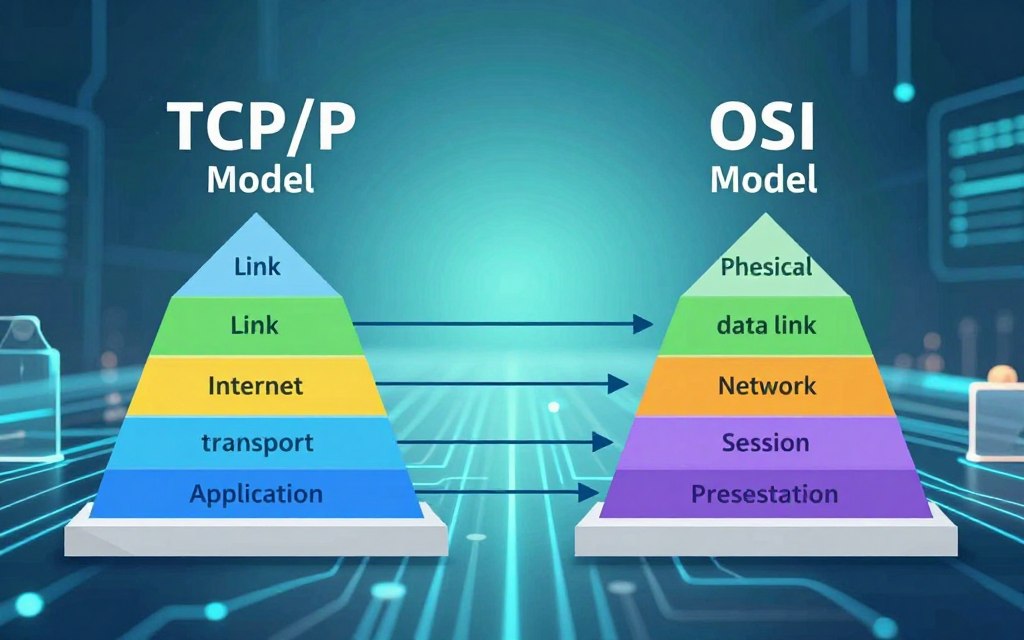
Understanding TCP/IP vs OSI model differences helps explain basic network communication. Both models guide communication, but they organize network functions in different ways.
The TCP/IP model usually has four layers: Application, Transport, Internet, and Network Access. The OSI seven layers are Application, Presentation, Session, Transport, Network, Data Link, and Physical. This networking model comparison shows how TCP/IP combines some OSI responsibilities at the upper and lower levels.
For example, the TCP/IP Internet Layer broadly matches the OSI Network Layer. This overlap shows that both models can describe similar network functions.
Both models are conceptual frameworks, so real protocols may not fit neatly into one category. This flexibility supports diverse networking applications.
Structural Comparison
TCP/IP’s four layers simplify networking and support practical implementation. The OSI model’s seven layers give a more detailed breakdown for education and troubleshooting.
Practical Applications in Networking
TCP/IP is the model most closely linked to real-world internet implementation and practical TCP/IP applications. It includes IP routing, TCP and UDP transport, DNS, HTTP, and Ethernet or Wi-Fi access. The OSI model helps with teaching and documentation, giving technicians terms for finding problems.
For example, a disconnected cable may involve the Physical and Data Link concepts. The Network Layer helps examine IP routing, while the Transport or Application layers help troubleshoot blocked ports or failing services.
Common TCP/IP Protocols and Their Functions
TCP/IP includes many protocols, and each has a special role in sending data. Learning these protocols explains how data moves across the internet. The sections below describe common TCP/IP protocols and their functions.
HTTP and HTTPS for Web Communication
HTTP (Hypertext Transfer Protocol) transfers web resources. It lets browsers request and retrieve web pages, APIs, and online forms. However, HTTP lacks security.
HTTPS (HTTP Secure) adds protection through TLS (Transport Layer Security) encryption. This encryption protects data exchanged between a client and server. It keeps sensitive information, such as login credentials and personal data, secure during transmission.
FTP and SFTP for File Transfers
FTP (File Transfer Protocol) transfers files between a client and server. However, FTP can expose credentials and data without proper security. In contrast, SFTP (SSH File Transfer Protocol) operates over SSH (Secure Shell).
SFTP provides encrypted file transfer and management. This makes SFTP a more secure option for transferring sensitive files.
DNS for Name Resolution
DNS name resolution converts human-readable domain names, like example.com, into IP addresses computers can understand. This process uses recursive resolvers and authoritative servers.
DNS also uses caching to speed future requests. However, DNS failures can disrupt internet access, even when other network components work correctly.
SMTP and POP3 for Email Services
SMTP (Simple Mail Transfer Protocol) sends and relays email messages. It ensures emails reach the correct mail server.
POP3 (Post Office Protocol version 3) mainly retrieves messages from a mail server. It usually downloads emails to a client, allowing offline access. For users who need message synchronization across multiple devices, IMAP (Internet Message Access Protocol) is often better.
Understanding these common TCP/IP protocols helps anyone involved in networking. Each protocol has a purpose, and knowing their differences helps evaluate network services effectively.
TCP/IP in Modern Networking
Today, TCP/IP remains a foundation of modern networking. Technology changes quickly, but this protocol suite matters in cloud computing and the Internet of Things (IoT).
The IPv4 to IPv6 transition is a key part of this change. IPv4 uses 32-bit addresses, limiting unique addresses as connected devices surge. These methods cannot remove the long-term need for IPv6, whose 128-bit space supports virtually limitless devices.
Many organizations use dual-stack networks, where IPv4 and IPv6 run at the same time. Transition strategies, including tunneling and translation, support the IPv6 transition without disrupting existing services.
IPv4 and IPv6 Transition
The IPv6 transition is essential for the growing number of devices in our digital landscape. IPv6 simplifies address configuration and supports rising demand from connected devices. Experts note, “IPv6 is not just an upgrade; it is a necessity for the future of networking.”
TCP/IP in Cloud Computing and IoT
TCP/IP in cloud computing supports virtual machines, containers, and software-defined networks. It connects services and load balancers across locations, improving performance and reliability.
For TCP/IP for IoT, sensors, cameras, and smart-home equipment use IP connections to send data and receive commands. Teams must address device identity, encryption, and bandwidth limits for secure, efficient operation. TCP/IP provides interoperability, but secure settings and responsible network design remain crucial.
| Aspect | IPv4 | IPv6 |
|---|---|---|
| Address Space | 32-bit | 128-bit |
| Number of Addresses | Approximately 4.3 billion | Approximately 340 undecillion |
| Configuration | Manual or DHCP | Automatic configuration |
| Security | Optional | Built-in IPsec |
Understanding TCP/IP remains essential as we manage modern networking’s complexity. For more insights on optimizing your network, visit this resource.
Troubleshooting Common TCP/IP Issues
TCP/IP troubleshooting becomes easier when you use a clear, step-by-step method. Understanding network connectivity problems helps maintain a reliable network. A structured process can reveal the cause quickly and restore service.
First, find the failure’s scope: one application, one device, the local network, or the entire internet connection. This answer guides your troubleshooting work. Then check physical and wireless connections, cables, and device power.
Verify the IP address assignment, subnet mask, and default gateway. Incorrect settings can cause network connectivity problems, while DNS settings and firewall rules can block essential services. An APIPA address may show DHCP gave no address; working IP communication with failed domain access suggests a DNS issue.
Diagnosing Connectivity Problems
Intermittent packet loss can signal congestion, wireless interference, or faulty hardware. Record your findings during testing to spot patterns and resolve issues faster.
Tools for Network Diagnostics
Several tools support network diagnostics, including ping and traceroute, ipconfig and nslookup, and Wireshark:
| Tool | Function | Usage |
|---|---|---|
| Ping | Tests reachability and latency | ping [IP address or domain] |
| Traceroute | Shows the path to a destination | tracert [IP address or domain] |
| ipconfig/nslookup | Displays local settings and tests DNS resolution | ipconfig /all or nslookup [domain] |
| Wireshark | Analyzes packet data | Launch and capture traffic |
Other useful commands include arp for local address mappings and netstat for reviewing connections. Always change one variable at a time during testing to isolate issues. Consider security controls before deciding that a protocol or device is malfunctioning.
Conclusion
Understanding TCP/IP is essential for grasping TCP/IP network communication across the internet and various computer networks. TCP/IP explained shows how this protocol suite forms modern networking’s backbone and enables reliable data transmission across diverse platforms. The TCP/IP model summary shows how each layer, from application to network access, supports seamless communication.
TCP ensures dependable, ordered data delivery, while IP handles addressing and routing. This partnership supports web browsing, email, and file transfers. HTTP, DNS, and FTP perform specialized functions that enhance user experience; learning computer networking fundamentals clarifies network behavior.
As users interact with websites and cloud services, TCP/IP quietly manages underlying processes that ensure connectivity and reliability. This layered approach equips readers to troubleshoot common issues and compare TCP/IP with the OSI model effectively. Applying this knowledge can improve networking skills and help anyone solve real-world communication challenges.

 By
By