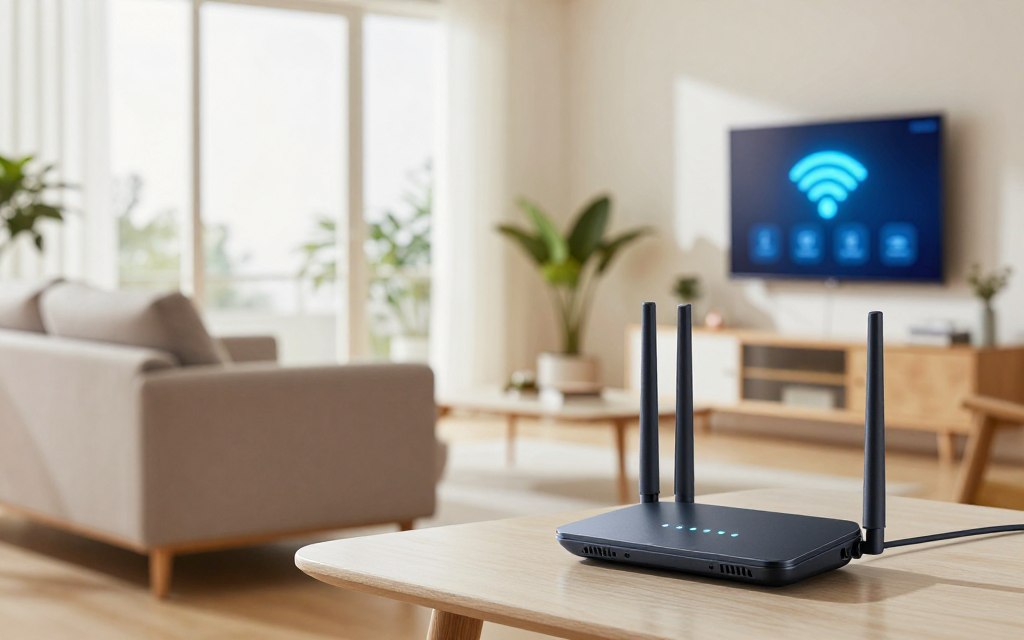

In today’s connected world, knowing how to improve wireless service matters. A network repeater receives weak signals and boosts them for wider wireless network coverage. It can improve wired and wireless systems throughout your home or office.
What are repeaters in computer network systems? They include Wi-Fi, Ethernet, and cellular signal repeaters. These devices expand range, but they do not increase your provider’s internet speed or bandwidth. They improve signal strength and support Wi-Fi signal extension instead.
This article explains how repeaters work, where to place them, and how they compare with access points and mesh systems. It also covers repeater limits and when other networking solutions may work better. Homeowners and small business operators can use this guide to make informed decisions about network setup.
Key Takeaways
- A network repeater boosts weak signals to improve coverage.
- Different types include Wi-Fi, Ethernet, and cellular signal repeaters.
- Repeaters do not enhance internet speed or bandwidth.
- Placement is key for optimal performance.
- Understanding limitations helps in choosing the right solution.
What Are Repeaters in Computer Network: A Technical Overview
The repeater definition describes a device that extends network signals, allowing data to travel farther without losing quality. Repeaters are computer networking devices classified as Layer 1 devices in the physical layer of the OSI model. They receive electrical, optical, or radio signals, then regenerate or retransmit them to extend transmission distances.
A repeater’s core function is signal regeneration. Unlike routers and switches, it focuses only on signal features, not packet management or traffic direction. It does not interpret application data or assign IP addresses, making it a simple network infrastructure solution.
Definition and Core Function
A repeater amplifies the original signal, allowing it to travel farther without degradation. This helps in large buildings and wide outdoor areas, where signals may weaken over distance. By restoring signal strength, repeaters protect data transmission and support reliable connectivity.
Historical Context and Evolution
Repeaters have changed greatly over time. Early Ethernet repeaters and hubs were the main tools for extending network signals. Later, technology produced modern wireless range extenders and cellular boosters, which made repeaters easier to deploy and more useful.
Better Wi-Fi standards, dual-band radios, and automatic configuration make today’s repeaters more efficient. Still, restoring signal strength remains the central operating principle.
| Type of Repeater | Functionality | Typical Use Cases |
|---|---|---|
| Ethernet Repeaters | Amplifies wired signals | Office networks |
| Wi-Fi Repeaters | Extends wireless coverage | Home networks |
| Cellular Boosters | Enhances mobile signals | Rural areas |
How Network Repeaters Work: The Core Mechanism
Learning how network repeaters work helps you improve network connectivity. These devices strengthen network signals, expand coverage, and improve performance. Their core mechanism has several important steps.
Signal Reception and Amplification
The repeater first receives an incoming signal. It can capture signals from a router, access point, Ethernet cable, fiber link, or cellular tower. Then, it checks the signal’s quality.
Distance, interference, and cable loss can weaken signals.
The term “signal amplification” can mislead consumers who expect a simple boost in signal strength. High-quality repeaters instead regenerate or reconstruct the signal. This ensures that only a usable signal undergoes signal retransmission, which reduces noise and distortion.
Signal Retransmission Process
After checking the incoming signal, the repeater starts signal retransmission. It sends the reconstructed signal toward its intended destination. This creates a more reliable connection across longer distances.
This process directly affects network performance. Choosing the right repeater is critical for optimal results.
Half-Duplex vs Full-Duplex Operation
In half-duplex networking, the device alternates between receiving and transmitting signals. It can send or receive data, but not both at the same time. This may increase latency and reduce throughput.
In contrast, full-duplex networking supports simultaneous signal transmission and reception. This mode supports high-speed connections and reduces latency. The choice between these modes can greatly affect network capacity and performance.
| Operation Mode | Transmission | Reception | Latency | Throughput |
|---|---|---|---|---|
| Half-Duplex | Alternates | Alternates | Higher | Lower |
| Full-Duplex | Simultaneous | Simultaneous | Lower | Higher |
Types of Network Repeaters and Their Applications
Different types of network repeaters serve unique purposes when extending network coverage. Knowing these differences helps you choose the right solution.
Wi-Fi Repeaters (Wireless Range Extenders)
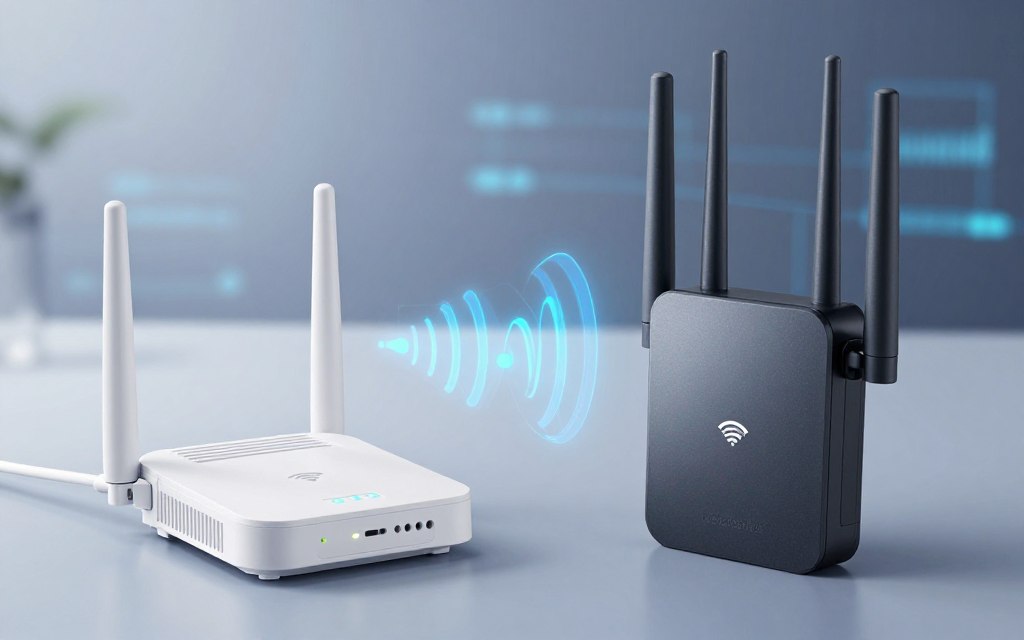
A Wi-Fi repeater, also called a wireless range extender, connects wirelessly to an existing router. It rebroadcasts the network signal into areas with weak coverage. This helps in larger homes or spaces with many walls that block signals.
Single-Band vs Dual-Band Repeaters
When choosing a Wi-Fi repeater, you will find two main types. These include a single-band repeater and a dual-band repeater.
- Single-Band Repeaters: These devices operate on one frequency band, typically 2.4 GHz. While they are often more affordable, they may experience reduced performance since both backhaul and client traffic share the same radio.
- Dual-Band Repeaters: These models can utilize both 2.4 GHz and 5 GHz bands. This flexibility allows for potentially better throughput and less interference, making them a more robust choice for high-demand environments.
Wired Repeaters for Ethernet Networks
An Ethernet repeater extends cable runs beyond standard distance limits. It helps restore signal integrity between network segments and supports stable connections over longer distances. Fiber repeaters also serve networks needing higher bandwidth and longer reach.
Cellular Signal Repeaters
A cellular signal repeater captures outdoor cellular signals, amplifies or regenerates them, and distributes stronger coverage inside buildings. This helps where cellular reception is weak.
When choosing a cellular signal repeater, confirm compatibility with your carrier and supported frequency bands. Also confirm that it meets applicable U.S. regulatory requirements.
Wi-Fi Repeaters vs Other Network Extending Solutions
Knowing how repeaters compare with other network coverage solutions helps you improve internet coverage. Each option has strengths and weaknesses, so choose one that matches your needs.
Repeaters vs Access Points
In a Wi-Fi repeater vs access point setup, repeaters connect wirelessly to your existing router. This makes installation simple, but shared connections can reduce throughput as the repeater receives and retransmits data. Access points usually use Ethernet backhaul, delivering stronger, steadier performance in remote locations.
Repeaters vs Mesh Networks
Mesh Wi-Fi systems use multiple coordinated nodes to create one seamless network. Traditional repeaters can have latency and bandwidth problems, while mesh networks offer central management. They often add band steering or dedicated wireless backhaul for a more unified experience across larger properties.
Repeaters vs Wi-Fi Extenders
People often use the term “Wi-Fi extender” and “repeater” to mean the same thing. However, some products sold as extenders use different designs or wired backhaul options. For a Wi-Fi extender comparison, consider building size, available Ethernet cabling, roaming needs, budget, expected traffic, and installation preferences.
| Feature | Wi-Fi Repeater | Access Point | Mesh Network | Wi-Fi Extender |
|---|---|---|---|---|
| Connection Type | Wireless | Wired (Ethernet) | Multiple Nodes | Varies |
| Performance | Moderate | High | High | Varies |
| Installation Ease | Easy | Moderate | Moderate | Easy to Moderate |
| Cost | Low | Moderate | High | Varies |
Key Benefits of Using Network Repeaters
Network repeaters create a more reliable, wider wireless network. They improve connections where the primary router’s signal is weak.
Eliminating Dead Zones
One major benefit of network repeaters is their ability to eliminate Wi-Fi dead zones. These areas occur when devices struggle to maintain stable connections. They often include:
- Rooms with thick walls
- Garages and basements
- Long hallways
- Home offices far from the router
A repeater extends wireless coverage and helps maintain a steady connection throughout the space.
Cost-Effective Network Expansion
Network repeaters offer an affordable network expansion solution compared with running Ethernet cables across a property. They suit people who need to fix one or two coverage gaps. Tech expert John Doe says, “Using a repeater can be less expensive than overhauling your entire network setup.”
“Using a repeater can be less expensive than overhauling your entire network setup.”
Easy Installation and Setup
Setting up a network repeater is usually simple. Many models support easy Wi-Fi setup through mobile apps or WPS pairing. Browser-based configuration and automatic network cloning help users at all technical levels.
Correct placement is essential for wireless coverage improvement. Place the repeater where it can still receive a strong signal from the primary router. Putting it inside a dead zone may extend a poor connection instead of improving it.
In summary, network repeaters improve wireless coverage in homes and small workplaces. They eliminate dead zones, offer affordable expansion, and provide easy installation for many network setups.
| Benefit | Description | Impact |
|---|---|---|
| Eliminating Dead Zones | Extends Wi-Fi coverage to areas with weak signals | Improved connectivity in critical areas |
| Cost-Effective Expansion | Less expensive than extensive wiring solutions | Budget-friendly network improvement |
| Easy Setup | Quick installation with user-friendly interfaces | Accessible for all users |
Limitations and Drawbacks of Network Repeaters
Network repeaters are not a one-size-fits-all solution because they have built-in limits. They can extend coverage, but users should understand drawbacks affecting performance and security.
Reduced Bandwidth and Speed
A major concern with network repeaters is repeater bandwidth loss. One wireless radio serves the router and clients, so it divides available bandwidth. Speeds may drop when users stream videos, join video calls, or transfer large files. More connected devices cause greater bandwidth reduction.
Signal Latency Issues
Another key limit is Wi-Fi latency. Each added wireless hop creates processing delays that can hurt real-time applications. Online gaming, video conferencing, and voice calls may suffer higher latency and frustrate users. Understanding these delays helps maintain smooth network performance.
Security Considerations
Strong encryption, such as WPA2-AES or WPA3, is essential for network security. Users should set unique administrator credentials and keep firmware updated. Avoid outdated encryption methods, such as WEP. A repeater should extend a secure network, not create an unmanaged or openly accessible wireless entry point.
Wireless interference from neighboring networks, walls, appliances, and congested channels can further reduce repeater performance. Consider these factors before choosing a repeater.
In high-demand environments, alternatives like Ethernet-backed access points or mesh systems may perform better. They can provide a faster, more reliable network while reducing repeater performance limitations found in traditional repeaters.
| Aspect | Network Repeaters | Ethernet Access Points | Mesh Systems |
|---|---|---|---|
| Bandwidth | Reduced | Stable | Stable |
| Latency | Higher | Lower | Lower |
| Security | Variable | High | High |
| Interference | Susceptible | Less Susceptible | Less Susceptible |
Best Practices for Placing and Configuring Repeaters
Proper repeater placement and settings can improve your Wi-Fi experience and provide reliable coverage throughout your space.
Optimal Placement Strategies
Keep the router-to-repeater distance near half the path to the weak-coverage area. This repeater placement helps it receive a stable, high-quality signal. Use your device’s signal indicator, a Wi-Fi analyzer, or speed tests at the client location to find the best spot.
Keep the repeater away from thick concrete walls, metal cabinets, microwaves, and other interference sources. These obstacles can weaken the signal and reduce the repeater’s effectiveness.
Configuration Tips for Maximum Performance
Use these tips for effective Wi-Fi repeater configuration:
- Match Network Settings: Ensure that the repeater’s network name and security settings match those of your main router.
- Select Less Congested Channels: If your repeater allows manual channel selection, choose a less congested channel to minimize interference.
- Update Firmware: Regularly check for firmware updates to improve performance and security.
- Choose the Right Frequency Band: If your repeater supports dual-band, select the appropriate frequency band based on your devices’ capabilities.
- Use Ethernet Backhaul: If possible, connect the repeater to your router via Ethernet for a more stable connection.
Test the repeater at different times of day for wireless network optimization, because congestion can change.
Common Setup Mistakes to Avoid
Users often make mistakes that can limit repeater performance. Avoid these problems:
- Extreme Placement: Do not place the repeater at the extreme edge of coverage, as it may not receive a strong enough signal.
- Obstructive Installations: Avoid installing the repeater behind large obstructions that can block the signal.
- Incompatible Security Settings: Ensure that the repeater’s security settings are compatible with your router.
- Default Credentials: Change default administrator credentials to enhance security.
- Confusing Network Names: Use clear and distinct network names to avoid confusion.
- Neglecting Performance Verification: Always verify performance after setup to ensure optimal operation.
These practices can improve repeater performance and provide a more reliable wireless network.
Common Use Cases for Network Repeaters
Network repeaters improve connections in homes, small businesses, and outdoor spaces. They help extend Wi-Fi coverage where signals are weak. This section explains practical uses, including outdoor Wi-Fi extension, in real-world settings.
Home Network Coverage Extension
Bedrooms, basements, and home offices often have weak Wi-Fi signals. Network repeaters amplify the main router’s signal and provide reliable home Wi-Fi coverage. With careful placement, families can access the internet throughout their homes.
Small Business Applications
Small businesses need a strong Wi-Fi connection. Repeaters can cover reception areas, meeting rooms, and stockrooms when cables are impractical. They offer an affordable way to improve small business Wi-Fi without major infrastructure changes.
Businesses needing high-capacity connections may choose managed access points for critical systems.
Outdoor and Large Property Coverage
Outdoor spaces and large properties can create Wi-Fi challenges. Network repeaters can provide an outdoor Wi-Fi extension to gardens and patios. Use outdoor-rated equipment to resist weather and maintain steady performance.
Garden and Patio Coverage
For garden Wi-Fi and patio Wi-Fi, an indoor repeater near an exterior wall offers short-range access. For broader or permanent coverage, use dedicated outdoor access points or weather-resistant equipment. This setup supports reliable connections during outdoor activities and gatherings.
Multi-Story Buildings
Floors and reinforced concrete can weaken signals in multi-story buildings. Check vertical placement carefully for effective multi-story Wi-Fi coverage. For steady service across several floors, consider wired access points or mesh nodes.
| Use Case | Recommended Solution | Key Considerations |
|---|---|---|
| Home Coverage | Network Repeater | Placement near weak signal areas |
| Small Business | Network Repeater | Evaluate critical system needs |
| Outdoor Coverage | Outdoor Access Point | Weather-resistant equipment |
| Multi-Story Buildings | Wired Access Points | Assess vertical signal strength |
Conclusion
Network repeaters receive and retransmit signals, which improves connectivity. They extend Wi-Fi signal coverage and remove dead zones in homes and offices. Repeaters offer network repeater benefits, including reliable network coverage, reasonable costs, simple installation, and solutions to connection problems.
When you choose a network extender, weigh its benefits against possible drawbacks. Wireless repeaters can reduce available bandwidth and add latency, especially when placed far from the primary router. They work best for specific coverage gaps, not extensive networks.
Users with Ethernet access may get better performance from an access point. Mesh Wi-Fi systems provide seamless, consistent coverage across larger properties, including multiple rooms or floors. Each option has advantages, so your unique needs should guide the choice.
Use secure settings and proper placement to maximize your network extender’s performance. Updated firmware and real-world performance tests can further improve your network’s reliability. For more insights on repeaters, visit this resource.


 By
By